
What Is AI Slop? How to Create Better AI Content
Asanka • Nov 21, 2026 • 7 Min Read
Table of contents
- What Is AI Slop?
- Why Is AI Slop Becoming a Problem for Brands?
- What Makes AI-Generated Content Look Generic
- How to Avoid AI Slop When Creating Content
- How to Write Better AI Prompts for Visual Content
- A Practical AI Image Prompt Template
- The Human Touch That Makes Content Different
- From AI-Generated Content to Professional Brand Experiences
- Creating Content That Actually Connects With Your Audience

creating better ai content visual
What Is AI Slop?
AI slop refers to low-quality digital content produced by artificial intelligence with little creative effort, originality, or meaningful human direction. It can appear in social media posts, blog articles, promotional videos, illustrations, and product advertisements. While AI makes content production faster and more accessible, publishing everything it generates without proper review can result in repetitive, generic, and disconnected content. The real challenge is not using AI, but knowing how to use it without losing the human perspective that makes content valuable.
The term has gained attention as AI-generated material becomes increasingly common across digital platforms. In 2025, Merriam-Webster selected “slop” as its Word of the Year, reflecting growing concerns about low-quality AI-generated content. A 2026 discussion published by Stanford’s Center for Internet and Society also examines how low-effort automated output can overwhelm audiences and reduce the quality of creative and professional communication.
Why Is AI Slop Becoming a Problem for Brands?
For businesses, content is more than something to publish regularly. Every visual, caption, and video contributes to how customers perceive a brand. When audiences repeatedly encounter generic AI-generated material, they may struggle to recognize what makes one business different from another. Instead of building recognition and trust, excessive low-quality content can make a brand appear careless or disconnected from its customers.
This creates a practical challenge for marketing teams. Producing fifty AI-generated visuals is relatively easy, but producing five visuals that communicate a consistent brand identity requires planning and creative judgment. A higher publishing frequency does not automatically translate into better engagement. What matters is whether each piece of content communicates something relevant, recognizable, and useful to its intended audience.
What Makes AI-Generated Content Look Generic?
AI slop usually becomes noticeable when the output lacks specific creative direction. Common examples include overly polished product photographs, unnatural human expressions, inconsistent brand colors, repetitive marketing captions, and visuals filled with unnecessary decorative elements. Written content can have similar problems when it relies on predictable introductions, repetitive explanations, and generic conclusions without meaningful examples. These issues often indicate that the content was generated without a clear brief or sufficient quality control.
Another common mistake is relying on vague instructions. Asking an AI tool to “create a beautiful luxury advertisement” leaves too many creative decisions open. The result might look attractive, but it may not match the product, audience, brand personality, or campaign objective. Good content starts with a clear creative brief, not simply a collection of descriptive adjectives.
How to Avoid AI Slop When Creating Content
The first step is to establish the purpose of your content before opening an AI tool. Identify who you want to reach, what problem or interest you want to address, and what action you expect from the audience. This gives AI a meaningful context instead of asking it to generate something based on assumptions. A useful content brief should include the following elements.
- Purpose. Define whether the content is intended to educate, promote, entertain, or build brand awareness.
- Audience. Specify the target audience, including relevant interests, demographics, and customer needs.
- Brand identity. Establish the brand personality, communication style, visual identity, and approved colors.
- Creative direction. Describe the desired visual style, storytelling approach, and overall atmosphere.
- Platform. Determine whether the content is intended for Instagram, TikTok, a website, or another channel.
- Quality control. Review the final output for accuracy, originality, consistency, and relevance.
The more specific your direction becomes, the easier it is to evaluate whether the result actually meets your expectations. However, detailed prompts alone cannot guarantee quality. Human judgment must remain part of the production process.
How to Write Better AI Prompts for Visual Content
One of the most effective ways to improve AI-generated images is to think like an art director or photographer. Instead of describing only the subject, provide instructions about how the image should be captured and presented. This includes the color palette, camera angle, lens choice, lighting, composition, materials, and image dimensions. These details help establish a consistent visual direction across different content formats.
For example, consider how different camera choices influence the intended appearance.
- 35mm lens works well for environmental photography where the surroundings contribute to the story.
- 50mm lens provides a balanced perspective for product and lifestyle photography.
- 85mm lens is useful for tighter compositions, portraits, and a more compressed background appearance.
Camera angles also influence how audiences perceive a subject. An eye-level angle creates a natural and approachable perspective, while a low-angle shot can make a product or person appear more dominant. A top-down angle works particularly well for flat-lay product photography, food photography, and organized compositions.
Color selection is equally important. Rather than asking AI to use attractive colors, provide a defined palette with three or four specific colors. For example, a premium skincare campaign might use forest green (#173B35), warm ivory (#F4EFE6), and muted copper (#B56A45). This creates a clearer visual reference and helps maintain consistency across multiple creative assets.
A Practical AI Image Prompt Template
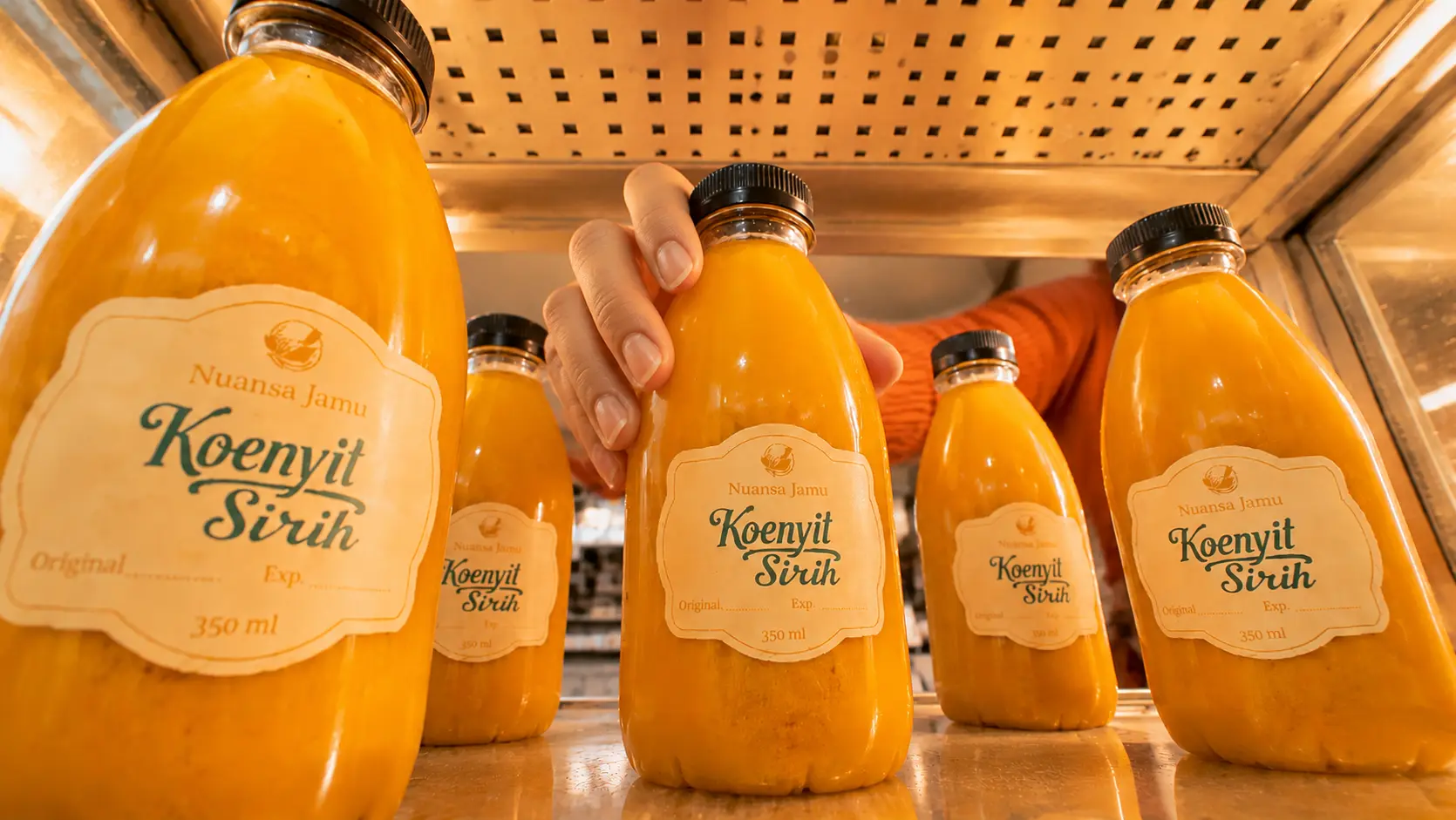
You do not need complicated technical instructions to produce better results. A structured prompt can already make a significant difference. The following example can be adapted for product advertisements, social media campaigns, and promotional visuals.
Reusable prompt template:
Create a photorealistic campaign image for [PRODUCT]
by [BRAND], designed for [TARGET AUDIENCE]
and intended for [PLATFORM AND CAMPAIGN GOAL].

Show [SUBJECT AND ACTION] in [SETTING],
with [COMPOSITION AND NEGATIVE SPACE].

Use a controlled color palette of [PRIMARY COLOR],
[SECONDARY COLOR], and [ACCENT COLOR].

Photograph from [CAMERA ANGLE] using a
[FOCAL LENGTH] lens to create [DESIRED PERSPECTIVE].

Use [LIGHTING DIRECTION AND QUALITY].
Emphasize [MATERIALS AND TEXTURES].

The overall visual direction should feel
[VISUAL STYLE AND BRAND PERSONALITY].

Image format [ASPECT RATIO].

Preserve [IMPORTANT BRAND OR PRODUCT DETAILS].
Do not include [UNWANTED ELEMENTS].
What should you replace in the template?
-
[PRODUCT]. The actual product, such as a skincare serum, coffee packaging, or fashion item.
-
[BRAND]. Your business or product brand name.
-
[TARGET AUDIENCE]. The specific customers you want to reach.
-
[PLATFORM AND CAMPAIGN GOAL]. For example, Instagram advertising to generate product awareness.
-
[SUBJECT AND ACTION]. Describe what the product or model is doing.
-
[SETTING]. Specify the environment, such as a minimalist studio or tropical outdoor setting.
-
[COMPOSITION AND NEGATIVE SPACE]. Decide where the main subject should appear and where empty space should remain for advertising copy.
-
[PRIMARY, SECONDARY, AND ACCENT COLOR]. Insert your brand’s actual color palette, preferably with HEX codes.
-
[CAMERA ANGLE AND FOCAL LENGTH]. Choose the perspective and lens reference that support your visual direction.
-
[LIGHTING DIRECTION AND QUALITY]. Specify soft daylight, side lighting, studio lighting, or another suitable setup.
-
[MATERIALS AND TEXTURES]. Describe details such as glass, metal, fabric, water droplets, or natural skin texture.
-
[VISUAL STYLE AND BRAND PERSONALITY]. Examples include editorial photography, minimalist luxury, or natural lifestyle photography.
-
[ASPECT RATIO]. Select 1:1 for square posts, 4:5 for Instagram feed, or 9:16 for Stories and Reels.
-
[IMPORTANT BRAND OR PRODUCT DETAILS]. Identify logos, packaging, proportions, and other elements that must remain accurate.
-
[UNWANTED ELEMENTS]. Specify exclusions such as extra logos, incorrect text, watermarks, or unrelated objects.
A simple filled example
Imagine a skincare business preparing an Instagram product advertisement. Its visual direction could be a minimalist editorial photograph featuring a skincare serum bottle, forest green and ivory colors, a 50mm lens, and soft directional lighting. The bottle sits on a natural stone surface with negative space on the left for advertising copy. Instead of relying on vague instructions, every important visual decision has already been established.
One important consideration is that lens specifications are visual guidance rather than a guarantee of exact physical camera simulation. Always inspect the generated image and make targeted adjustments when necessary.
The Human Touch That Makes Content Different
A good AI workflow does not end when an image or caption is generated. Review the result as if you were a customer encountering the brand for the first time. Does the content communicate a clear message? Does it match the product’s real characteristics? Does the visual identity remain consistent with other campaign materials? Most importantly, does it give the audience a reason to pay attention?
It is also important to verify factual information before publishing. AI-generated text can contain inaccurate claims, while generated images may introduce incorrect product details or visual inconsistencies. Google Search Central recommends prioritizing accuracy, quality, and relevance when using generative AI, including manually reviewing AI-generated material before publication.
The goal is not to remove AI from the creative process. It is to combine its production capabilities with human experience, contextual understanding, and creative decision-making.
From AI-Generated Content to Professional Brand Experiences
For businesses that regularly produce digital content, avoiding AI slop requires more than writing better prompts. It requires a consistent creative direction that connects brand strategy, visual communication, storytelling, and audience engagement. Without that foundation, even technically impressive AI-generated content can become disconnected from the brand it represents.
This is where professional creative support becomes relevant. Asanka brings together Brand Consultant & Design, Digital Content Production, and Social Media Management to support different stages of a brand’s digital communication. Its approach combines creative expertise and an AI-powered workflow to turn business ideas into more structured digital experiences.
Rather than treating every visual as an isolated production task, businesses can benefit from having a consistent direction across their branding, promotional materials, and digital campaigns.
Creating Content That Actually Connects With Your Audience
AI should make creative work more effective, not make every brand look the same. The difference comes from having a clear strategy, specific creative direction, and people who understand what the audience actually needs. When these elements work together, AI becomes a useful production tool rather than a shortcut to generic content.
If your business needs a more consistent approach to visual identity, digital storytelling, or content production, take a look at Asanka’s creative and digital expertise. The right creative process can help turn AI-assisted production into meaningful brand communication that people recognize, remember, and engage with.